
Microsoft Teams Rooms Systems in Pakistan — Yealink MVC Series
A Microsoft Teams Rooms (MTR) system is a Microsoft-certified hardware and software platform that makes Teams the native operating system of any meeting room. Every scheduled Teams meeting appears on a touch controller and starts with one tap — no laptop, no HDMI cables. Available now from Pakistan's authorized Yealink distributor.
As Pakistan's authorized Yealink distributor and Teams Rooms supplier, we supply the complete MTR range — from the compact MeetingBar A10 for home offices to the triple-camera MVC S98 for flagship boardrooms. We provide a formal quotation with itemized pricing, installation scope, and full warranty documentation for every order.


What Is Teams Rooms?
What Is Microsoft Teams Rooms? A Dedicated Teams Environment for Every Meeting Space
Most Pakistani offices use Microsoft Teams every day — but meeting rooms often remain disconnected from that experience. Without a certified Teams Room system, hybrid meetings are awkward: remote participants struggle with audio, presenters fumble with laptops and HDMI cables, and the room technology fights against the meeting rather than supporting it.
A Microsoft Teams Rooms system resolves this by making Teams the room's native operating system. The display, camera, microphone, and speaker are all certified to work together as one integrated hybrid meeting room solution — managed centrally, updated automatically, and ready the moment your first participant walks in.
A Teams Rooms license (MTR Pro or MTR Basic) is required per room and is managed through your Microsoft 365 tenant. As Pakistan's authorized Microsoft Teams Rooms deployment partner, we advise on the appropriate license tier for your organization as part of the consultation—at no charge.
Why MTR?
Why Businesses Need a Certified Microsoft Teams Rooms System
Certified hardware eliminates the most common problems Pakistani businesses face with hybrid meetings — poor audio, camera issues, and unreliable connectivity.
One-Touch Join
Every scheduled Teams meeting appears on the room's touch controller. Tap once. No laptop, no cables, no login screens — meetings start on time.
Wireless Content Sharing
Share your screen from any device — laptop, tablet, or phone — without HDMI cables or adapters. Presenters switch in seconds without interrupting the meeting.
Intelligent Camera Tracking
Yealink's AI-powered cameras automatically frame active speakers and track movement across the room — remote participants see and hear everything clearly.
Automatic Updates
Microsoft manages firmware and security updates automatically. Your IT team monitors and controls every room system from a single central dashboard.
Microsoft-Certified Audio
Certified microphone arrays capture every voice in the room and actively suppress background noise — even in rooms with hard surfaces and echo.
Wireless Content Sharing
Share your screen from any device — laptop, tablet, or phone — without HDMI cables or adapters. Presenters switch in seconds without interrupting the meeting.
Product Range
Yealink Teams Rooms Systems — Full Range Available to Buy in Pakistan
The complete Yealink MTR portfolio — from compact all-in-one bars to dual-camera enterprise systems — is supplied directly from the authorized distributor in Pakistan. All models are Microsoft Teams Rooms-certified and available for on-site installation across Pakistan.
Android — MeetingBar Series (Teams & Zoom Native)
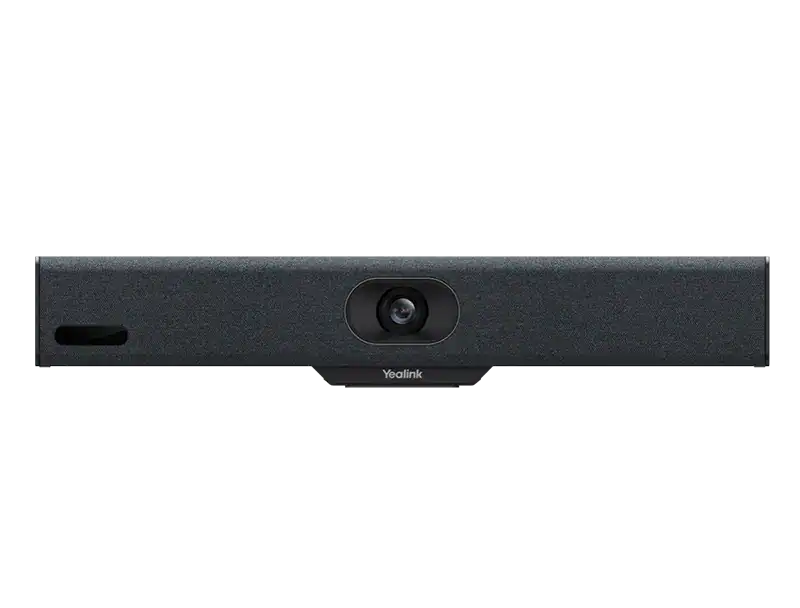
Yealink MeetingBar A10
- 4K camera, 120° FOV, electric privacy shutter
- 8 MEMS mics, 4.5m pickup, AI speaker tracking
- Teams & Zoom on Android 13
- Compact bar — ideal for 1–4 person spaces
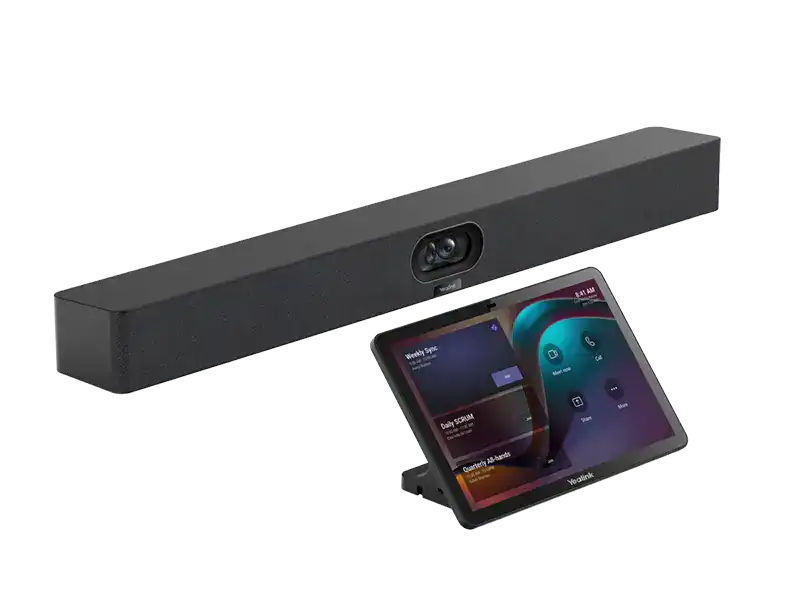
Yealink MeetingBar A40
- 2× 48MP cameras, 110° HFOV, AI tracking
- 8 MEMS mics, 6m pickup, expansion mic support
- Teams & Zoom on Android 13 (MDEP)
- Supports up to 2 expansion microphones

Yealink MeetingBar A25
- Triple-camera, 151° ultra-wide HFOV
- 8 MEMS mics, 5m pickup, Video Fence & IntelliFocus
- Teams & Zoom on Android 13 (MDEP)
- For focus rooms & small collaboration spaces

Yealink MeetingBar A50
- 3× 50MP cameras, 98° HFOV, AI intelligent tracking
- 16 MEMS mics, 10m pickup, 3 expansion mics
- Teams & Zoom on Android 13 (MDEP)
- 4× 5W speakers, for rooms up to 20 people
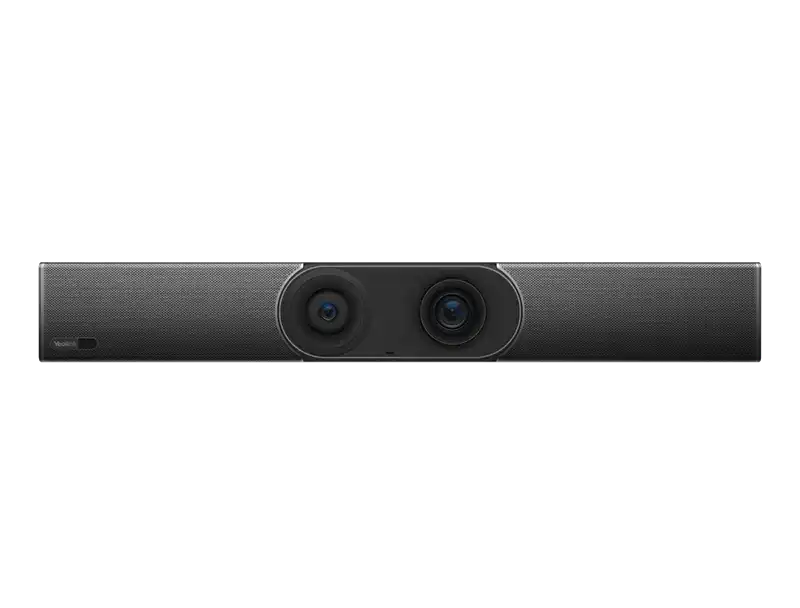
Yealink MeetingBar A30
- Dual 8MP cameras, 120° FOV, AI framing
- 8 MEMS mics, Qualcomm Snapdragon 845
- Teams & Zoom on Android 9
- Simple 3-cable installation
Windows MTR — MVC S-Series (Intel Ultra5, Windows 11 IoT)
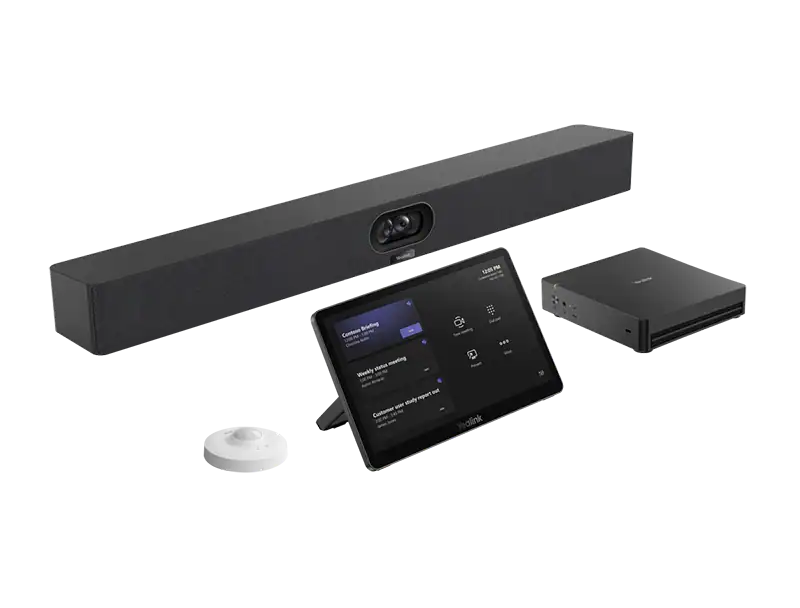
Yealink MVC S40
- MCore 4 (Intel Ultra5 125H, 16GB DDR5) + MTouch Plus
- SmartVision 40: 2× 48MP, 111° HFOV, 6m pickup
- RoomSensor included, Windows 11 IoT
- For rooms up to 15 people

Yealink MVC S90
- MCore 4 + 2× UVC86 PTZ (4K, 12× optical zoom)
- AVHub supports up to 9 cameras + BYOD-Extender
- RoomSensor, Windows 11 IoT
- For 30–50+ person boardrooms

Yealink MVC S50
- MCore 4 (Intel Ultra5 125H) + MTouch Plus
- MeetingBar A50: 3× 50MP, 10m pickup
- RoomSensor included, Windows 11 IoT
- Combines Windows compute with an Android camera unit
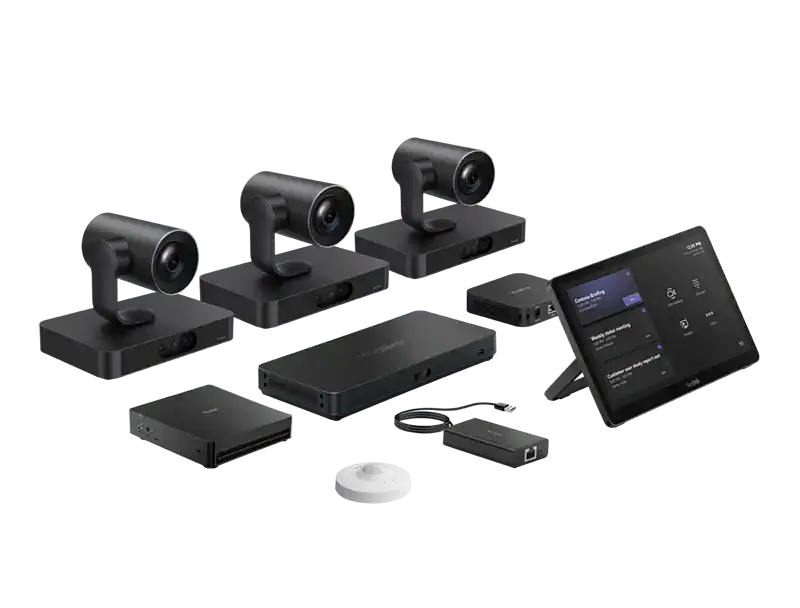
Yealink MVC S98
- MCore 4 + 3× SmartVision 80 + AVHub
- RCH40 E2 PoE switch + BYOD-Extender + RoomSensor
- Triple 4-lens camera system, Windows 11 IoT
- Ultimate coverage for flagship boardrooms
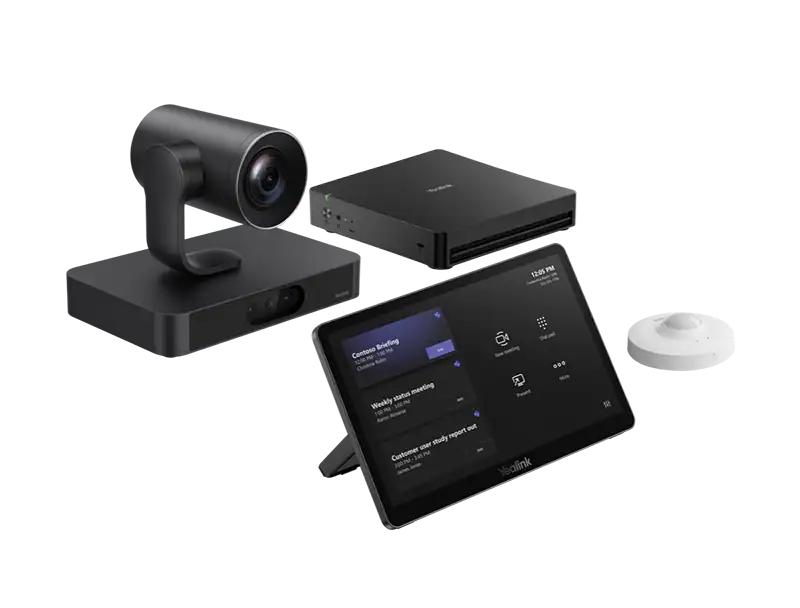
Yealink MVC S80
- MCore 4 (Intel Ultra5 125H) + MTouch Plus
- SmartVision 80: PTZ 20× optical + panoramic 98° HFOV + 2× telephoto
- 4-lens AI camera system, RoomSensor
- For rooms up to 30 people
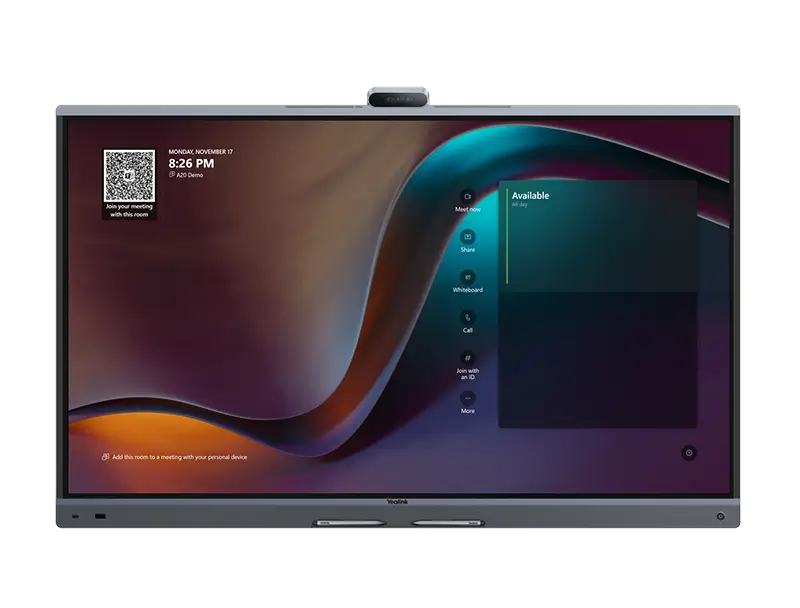
Yealink MeetingBoard Pro
- 4K display, 3× 50MP cameras, 16 MEMS mics, 12m pickup
- Teams & Zoom on Android 13 (MDEP)
- Built-in whiteboard, BYOD mode, optional OPS Windows slot
- Complete room solution in a single device
Room Selection Guide
Match the Right Teams Rooms System to Your Space
Every meeting room has different requirements. Use this guide to identify the right Yealink system for your huddle space, conference room, or boardroom in Pakistan.
Small Meeting Space
2 – 6 peopleYealink MeetingBar A10 / A25 / A30
- All-in-one bar or compact camera + speakerphone bundle
- Ultra-wide angle — captures everyone in a small space
- Minimal cabling — up and running in hours
- MTR on Android — simple, low maintenance
- Ideal for informal standups and 1:1 video calls
Standard Meeting Room
6 – 20 peopleYealink MeetingBar A40 / A50 / MVC S40 / S50
- PTZ camera with AI intelligent framing
- Ceiling or table microphone arrays available
- Dual display output for content + video
- Wireless content sharing from any device
- Ideal for department meetings and client calls
Executive Meeting Room
20+ peopleYealink MVC S80 / S90 / S98
- Dual PTZ cameras cover the full boardroom length
- Distributed microphone pods — no dead spots
- Windows or Android compute options
- Full commissioning, AV integration & cable management
- Ideal for board sessions and multi-stakeholder briefings
Serving Pakistan's major business centers: On-site Teams Rooms installation and configuration available in Karachi, Lahore, Islamabad, and Rawalpindi. Supply-only orders ship nationwide.
End-to-End Deployment
Professional Microsoft Teams Rooms Installation & Configuration Across Pakistan
Our certified engineers handle everything — site survey, hardware supply, physical installation, Microsoft Teams configuration, and on-site staff training — so your rooms are ready from day one. We cover Karachi, Lahore, Islamabad, and Rawalpindi for on-site Teams Rooms deployments.
Site Survey & Solution Design
We assess your rooms — dimensions, acoustics, cabling, display positions — before recommending any hardware
Physical Installation
Mounting, cabling, PoE connections — every device installed to a professional standard at your Pakistan office
Teams Admin Center Configuration
Every room system provisioned, licensed, and verified through your Microsoft 365 tenant
Staff Handover & Training
Your team knows how to use every room before we leave — IT admins and end users both covered
FAQs
Microsoft Teams Rooms — Common Questions from Pakistani Buyers
What is Microsoft Teams Rooms and how does it work?
Microsoft Teams Rooms (MTR) is a certified hardware and software platform that makes Teams the native operating system of your meeting room. The system runs on a dedicated compute device connected to a display, camera, and microphone. Scheduled meetings appear on a touch controller and start with a single tap — no laptops or cables required. Yealink's MVC series and A-series are among the most widely deployed MTR systems available in Pakistan.
How much does a Microsoft Teams Rooms system cost in Pakistan?
We do not publish pricing online. Microsoft Teams Rooms pricing in Pakistan depends on the room size, the hardware model selected (MeetingBar A10, A25, A30, A40, A50, MVC S40, S50, S80, S90, or S98), and the installation and configuration services required. Contact us for a formal quotation tailored to your specific rooms and organization.
Can you install a Teams Rooms system in Karachi, Lahore, or Islamabad?
Yes. Our certified engineers deploy Microsoft Teams Rooms systems on-site across Karachi, Lahore, Islamabad, and Rawalpindi. The deployment covers physical installation, device commissioning, Microsoft Teams Admin Center configuration, and on-site staff training. For other cities, contact us to confirm availability.
What Microsoft license is required for a Teams Rooms system?
Each Teams Rooms system requires a Microsoft Teams Rooms license — either MTR Pro or MTR Basic. MTR Pro includes advanced room management and monitoring features through the Teams Admin Center. We advise on the right licensing approach for your organization as part of the consultation, at no charge.
What is the difference between Teams Rooms on Android and Teams Rooms on Windows?
Teams Rooms on Android runs on an Android-based compute unit built into the Yealink MVC or A-series device. It is simpler to manage, lower in cost, and sufficient for most Pakistani meeting rooms. Teams Rooms on Windows runs on a separate Windows mini-PC and is better suited for large enterprise deployments requiring deeper IT control or third-party integrations. We recommend the right platform based on your environment and IT capability.
What is the best Microsoft Teams Rooms system for a small meeting room in Pakistan?
For small meeting rooms and huddle spaces (2–6 people), the Yealink MeetingBar A10, A25, or A30 are the most suitable Teams Rooms systems available in Pakistan. All three are compact all-in-one Android bars that require minimal cabling and are certified for both Teams and Zoom. Contact us for a specific recommendation based on your room dimensions and requirements.
Where can I buy genuine Microsoft Teams Rooms systems in Pakistan?
You can buy genuine, warranty-covered Microsoft Teams Rooms systems directly from Yealink Pakistan — Yealink's authorized distributor and certified Teams Rooms supplier in Pakistan. All orders include official invoices, warranty cards, and product certificates. We supply the full MTR range including MeetingBar A10–A50, MVC S-Series (S40–S98), and MeetingBoard Pro. Contact us for pricing and availability.
Do you offer post-installation support and maintenance for Teams Rooms in Pakistan?
Yes. We offer annual maintenance contracts covering hardware fault response, Microsoft Teams firmware updates, Teams Admin Center configuration support, and on-site visits as required. Our support contracts include defined SLA response times so your Teams Rooms infrastructure stays operational across Karachi, Lahore, Islamabad, and Rawalpindi.
Talk to Sales
Let's Build YourCommunication Infrastructure
Whether you need ten T30P phones for a contact center floor, a mixed T31G and T33G deployment across a corporate office, or a wireless-first rollout using T31W or T34W devices, please let us know your requirements, and we will prepare a formal proposal with itemized pricing and deployment scope within four business hours.
Prefer instant contact?
Request a Quote
The more detail you share, the more accurate our proposal.