
Every Meeting RoomDeserves theRight Accessories
From touch panels and wireless presentation pods to AV processors, PoE switches and intelligent cameras — Yealink Pakistan supplies and installs the complete accessory ecosystem that makes your meeting room perform as it was designed to.

Why It Matters
A Meeting Room System Is Only as Good as Its Accessories
Most IT managers in Pakistan focus on the core video conferencing unit — the MeetingBar or the MVC system. But the accessories are what determine whether that room actually works smoothly from day one.
Without the right touch panel, users cannot control the room without walking to the display. Without a compatible PoE switch, ceiling microphones and cameras may connect but deliver degraded audio due to EEE interference. Without a wireless presentation pod, every meeting starts with fumbling for cables. Without a properly matched display, the unified installation your system was designed for is lost.
Yealink designs its accessories as an integrated ecosystem — each component tested and certified to work seamlessly with Yealink room systems. As Pakistan’s authorized Yealink distributor, we supply the complete range from a single source, with Yealink-guaranteed compatibility on every order.
A Complete Room — Layer by Layer
Core System
MeetingBar, MVC, or Video Bar
Touch Control
Content Sharing
Network Infrastructure
Display & Processing
MeetingDisplay 65/75/86″ · AVHub · AVBridge
Full Product Range
Browse Yealink Room System Accessories Available in Pakistan
Every accessory below is genuinely sourced from Yealink’s authorized supply chain, carries full manufacturer warranty, and is available for supply, installation and configuration nationwide.

Yealink MTouch Plus
Third-generation 11.6-inch touch panel with anti-glare IPS screen. Join meetings in one touch, share wirelessly via AirPlay/Miracast, and auto-wake the room system with RoomSensor integration.
- 11.6″ IPS 1080p
- Teams Certified
- 3 Deploy Methods
-
Wi-Fi 6 · BT 5.2

Yealink MB-Remote
Wireless remote controller for Yealink MeetingBar systems. Plug the USB receiver and present immediately — no drivers needed. Control the camera, microphone mute, volume, and slide navigation from up to 10 meters away
- Plug-and-Play
- 10m Range
- 2.4GHz
-
Camera + Mic Control

Yealink MTouch Plus-EXT
Extension panel for multi-zone meeting room control. Connect alongside MTouch Plus to allow participants at different table positions to control cameras, layouts, and sharing simultaneously.
- Multi-Zone Control
- Camera Switching
-
Synced Layout Control

Yealink CTP25
10.1-inch Android 13 touch console with Microsoft MDEP support. One USB-C cable handles 4K content sharing, wired BYOD, and up to 65W laptop charging. Compatible with Teams, Zoom, and RingCentral.
- 10.1″ Android 13
- Teams · Zoom · RC
- MDEP
-
USB-C 65W PD

Yealink WPP30
4K Ultra HD wireless presentation pod powered by Wi-Fi 6. Plug into any laptop — no software, no drivers, just instant 4K/30fps sharing. Supports 4 simultaneous streams, annotation, whiteboard, and AES/WPA encryption.
- 4K/30fps
- Wi-Fi 6
- 4-Screen Cast
-
AES Encrypted
-

Yealink MShare E2
Compact MVC screen sharing box for flexible room deployments. Deploy separately from the touch console to extend wired content sharing capabilities. Can be hidden in the conference table for a clean, cable-free look.
- HDMI + USB-B + USB-C
- LED Status
-
Compact Form
-

Yealink MVC-BYOD-Extender
BYOD extender accessory for Yealink MVC systems. Extends BYOD connectivity to meeting tables positioned further from the main MVC unit, ensuring every participant can connect their device with ease.
- BYOD Extension
- MVC Series
-
Easy Deployment
-

Yealink PA20
4K/30fps wireless presentation assistant with Wi-Fi 6 and IP-BYOD capability. Plug in and use the room’s camera and microphone from your laptop for a full BYOD conferencing experience without any software installation.
- 4K/30fps
- IP-BYOD
- Wi-Fi 6
-
4-Screen Cast
-

Yealink VCH51
BYOD sharing box enabling laptop users to present content and use the Yealink video conferencing system as their PC camera and microphone. Plug-and-play with HDMI input, USB-C, and PoE power.
- 4Kp15
- BYOD + Presentation
- PoE Powered
-
Plug-and-Play

Yealink RoomCast E2
Enterprise wireless presentation system with 4K/60fps output. Supports Yealink Pod, Miracast, AirPlay, and YeaCast simultaneously. PoE or DC powered, remote-manageable via YMCS/YDMP. Ideal for SME and enterprise boardrooms.
- 4K/60fps
- Miracast + AirPlay
- PoE Supported
-
Wi-Fi 6
-
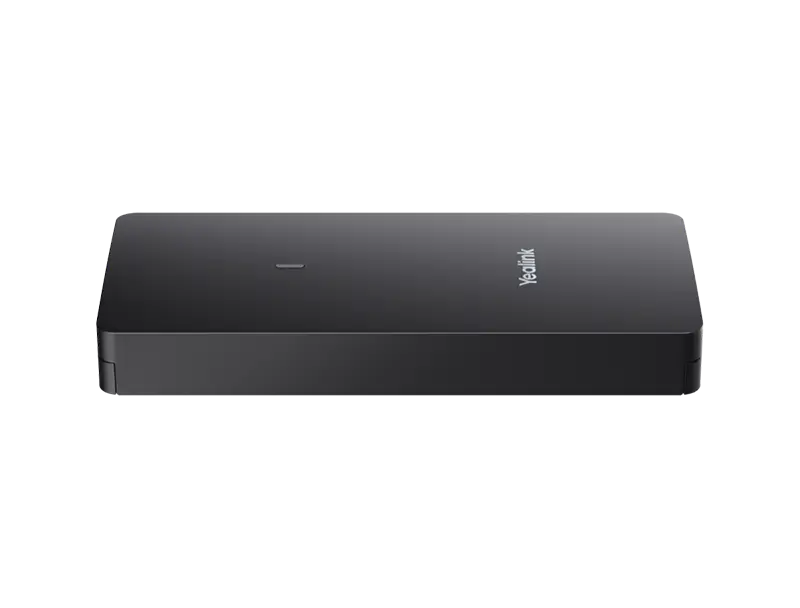
Yealink VCH51 Pro
Enhanced BYOD sharing box with upgraded connectivity for professional meeting room deployments. Enables seamless BYOD conferencing and wired content presentation with Yealink video systems.
- Enhanced BYOD
- 4K Presentation
-
PoE Powered
-
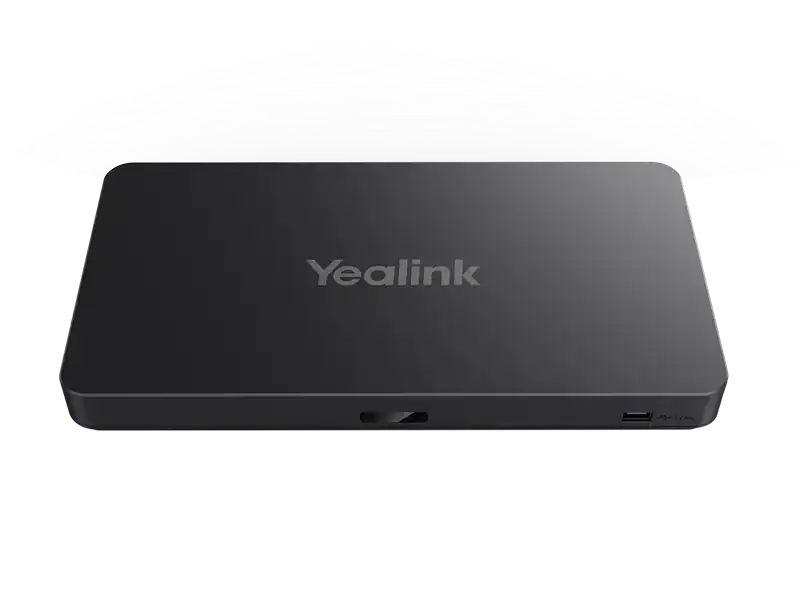
Yealink AVHub
Enterprise AV processor for large and extra-large boardrooms. Connect up to 9 cameras and 8 microphone arrays via PoE Ethernet. Enables Multi-Camera IntelliFrame AI, Divisible Room experience, and BYOD mode for Teams Rooms.
- 9x Camera Support
- Divisible Room
- Teams MTR
- BYOD

Yealink AVBridge
For Large Boardrooms
Compact audio box and A/V signal extender with 4×4 Dante channels and AES67 support. The ideal bridge between Yealink CM20/CM50 ceiling microphones and your conferencing system. Features built-in matrix mixer, PEQ tuning, and PoE power.
- 4×4 Dante
- AES67
- PoE Powered
-
CM20/CM50 Ready

Yealink MCore-OPS Gen 2
Next-generation modular compute for Yealink MeetingBoard Series. Powered by Intel Core Ultra 5 with built-in NPU, 16GB DDR5 RAM, 256GB SSD, 4K HDMI-IN content sharing, and enterprise TPM 2.0 security. Teams-certified variant available.
- Intel Core Ultra 5
- 16GB DDR5
- Teams Certified
-
4K HDMI-IN
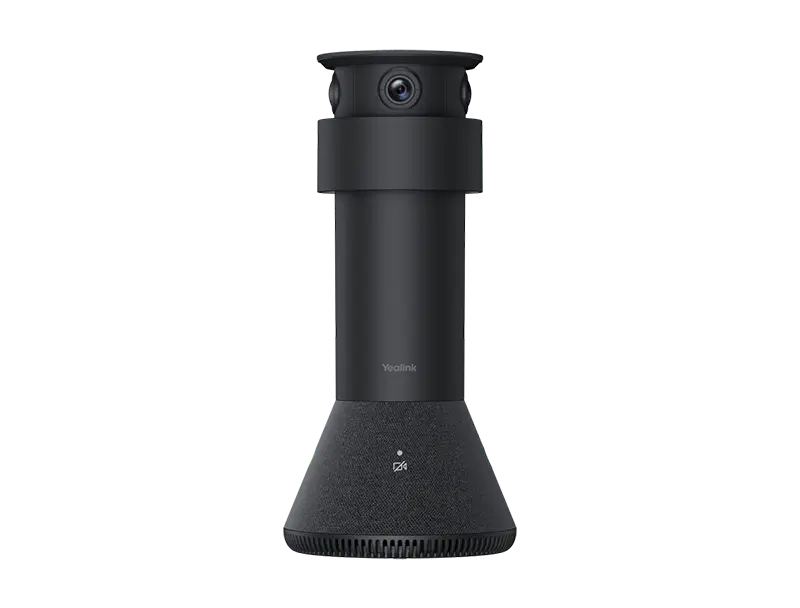
Yealink MTower
Triple-eye tabletop camera with three 8MP Sony sensors — one telephoto and two wide-angle — for 360° coverage of every participant. IntelliVision AI delivers optimal head-on views. Magnetic levitation privacy cover and 6+1 mic beamforming array included.
- 3× 8MP Sony
- IntelliVision AI
- Privacy Cover
-
6+1 Mics
-
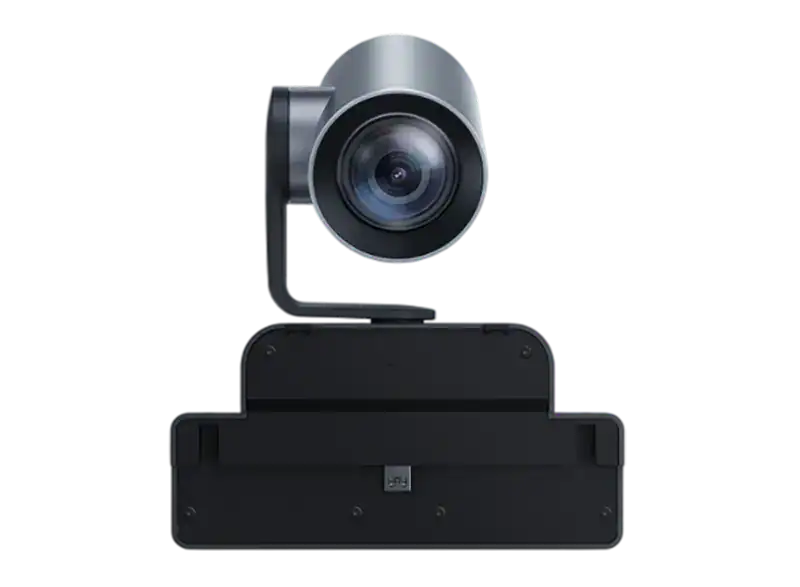
Yealink MB-12X Pro
Professional 12x optical zoom PTZ camera designed for large meeting rooms and boardrooms where participants are seated far from the display wall. Delivers crisp, close-up video of speakers without compromising room coverage.
- 12× Optical Zoom
- Large Rooms
-
PTZ Control
-

Yealink UVC30
Compact USB desktop camera for huddle rooms and personal workspaces. Plug-and-play USB connectivity makes it compatible with any conferencing platform — Teams, Zoom, or softphone. No driver installation required.
- USB Plug-and-Play
- Teams + Zoom
-
Huddle Rooms

Yealink MeetingDisplay (65″ / 75″ / 86″)
4K IPS professional display purpose-built for the Yealink MTR ecosystem. The unified bracket system allows MeetingBar and cameras to mount directly — no wall drilling. Automatic sleep/wake sync with MTR devices, Android 13, Wi-Fi 6, and a 3-year warranty.
- 4K IPS 500 nits
- Android 13
- Wi-Fi 6
-
3yr Warranty
-
Unified MTR Install

Yealink RCH40
Compact 4-port Gigabit PoE+ switch specifically designed for meeting room AV networking. Delivers 30W per port with a 90W total budget. 802.3af/at compliant. Fits neatly under tables or in AV cabinets.
- 4x Gigabit PoE
- 90W Total Budget
- 802.3af/at
-
Compact 100mm
- Suitable for small rooms
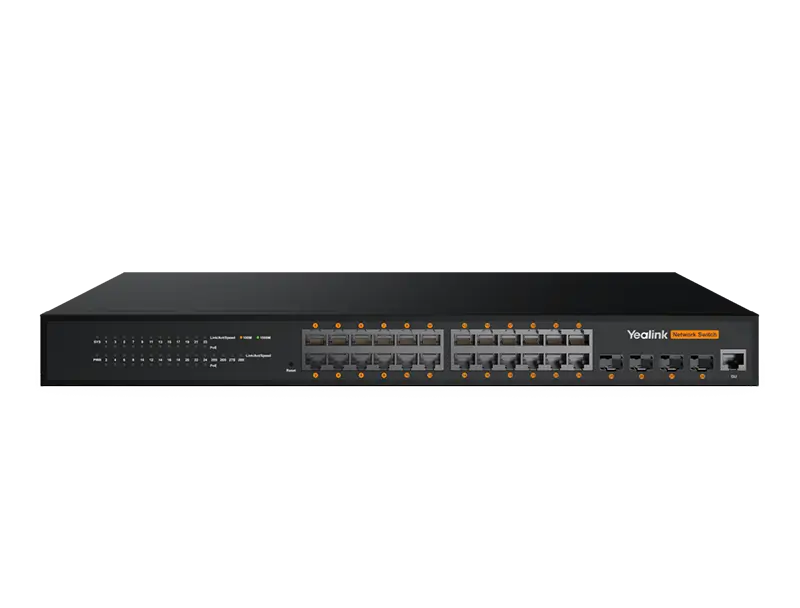
Yealink RCH240
Rack-mounted 24-port L2+ enterprise AV switch with 4 fiber uplinks and 370W PoE power budget. Supports Dante, AES67, and IGMP snooping for large-scale Yealink AV-over-IP deployments across multiple rooms.
- 24x Gigabit PoE
- 370W PoE
- Dante + AES67
-
Compact 100mm
- Suitable for small rooms
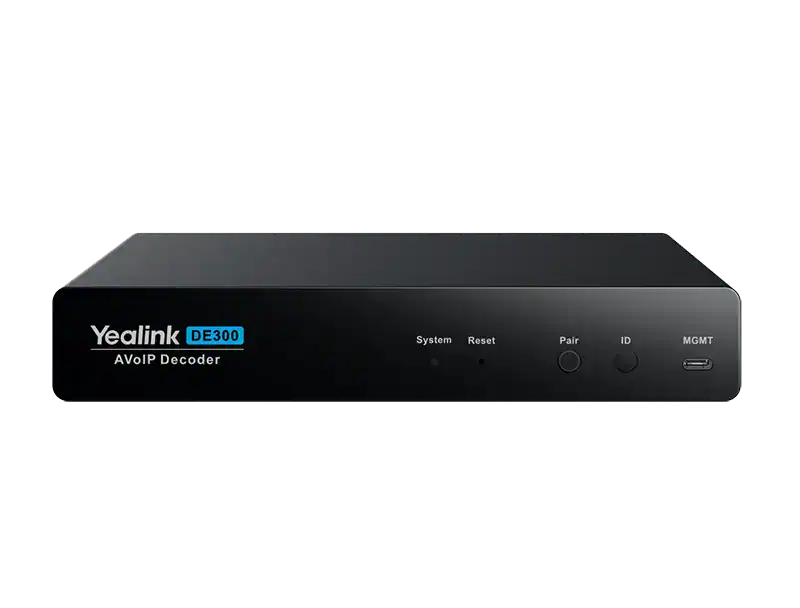
Yealink DE300
Display signal extender for Yealink room systems. Extends display output signals to secondary screens or remote display positions without signal degradation — ideal for dual-display boardroom configurations.
- Display Extender
- Dual Display
-
Boardroom Use
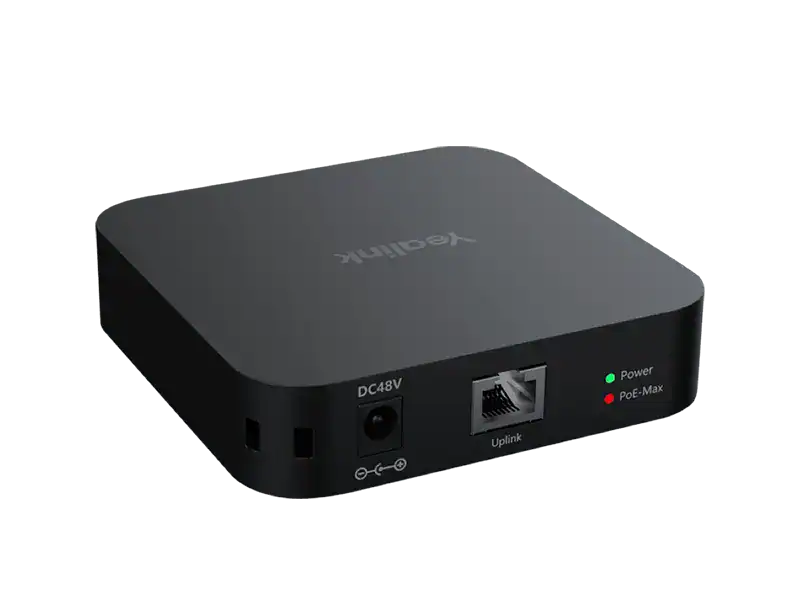
Yealink RCH40 E2
Enhanced version of RCH40 with QoS support and EEE disabled by default — essential for Yealink CM20, CS10, and Dante audio devices that require EEE off for reliable operation. The recommended choice for rooms with ceiling microphones.
- 4x Gigabit PoE
- QoS Support
- EEE Disabled
-
Dante Compatible
- Dante + CM20/CS10

Yealink CT200
Yealink-designed content sharing cable accessory for MVC room systems. Ensures certified, stable, wired content-sharing connectivity between laptops and the Yealink room system — no compatibility guesswork.
- Wired Sharing
- MVC Compatible
-
Yealink Certified

Yealink EN300
Network extender for Yealink AV room systems. Extends Ethernet and power connectivity to AV devices positioned further from the main network infrastructure, maintaining signal integrity across larger meeting spaces.
- Network Extension
- AV over IP
-
Long Reach

Yealink RCH80
L2+ managed AV switch with 8 Gigabit PoE ports and 2 fiber uplinks. 130W PoE budget. Supports Dante and AES67 out of the box with no configuration required. EEE is disabled by default for guaranteed AV device compatibility.
- 8x Gigabit PoE
- 130W PoE
- Dante + AES67
-
L2+ Managed
-
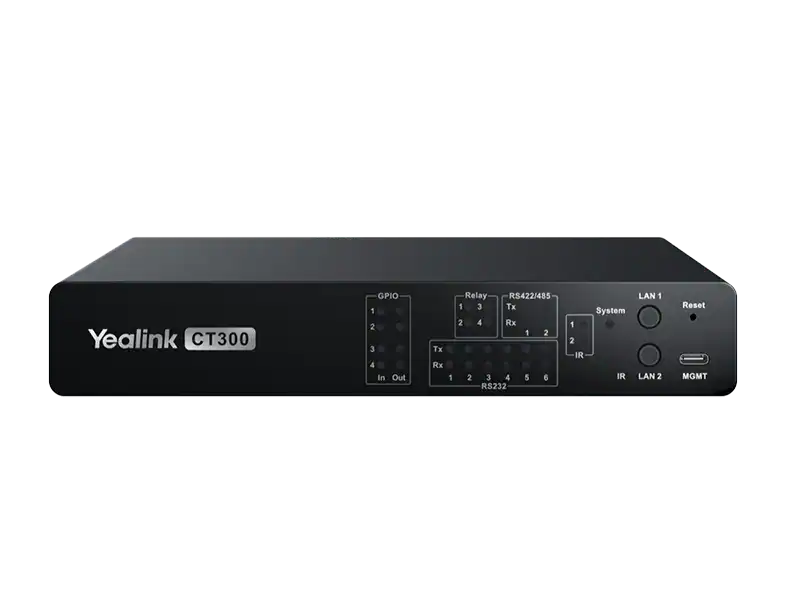
Yealink CT300
Certified Yealink connectivity accessory for room system integration. Provides reliable signal connectivity for Yealink MVC and MeetingBar room deployments with guaranteed compatibility.
- Certified Accessory
- Room Integration
-
MVC / MeetingBar

Yealink YPS20
Infrared partition sensor for divisible meeting rooms. Detects movable partition position with a 1.5m IR range and adjustable sensitivity. Connects to Yealink AP08 for automatic adaptive room configuration via Room Designer software. IP65 rated.
- IR Partition Sensor
- IP65 Rated
- 1.5m Range
-
AP08 Compatible
Yealink MTouch Plus
Third-generation 11.6-inch touch panel with anti-glare IPS screen. Join meetings in one touch, share wirelessly via AirPlay/Miracast, and auto-wake the room system with RoomSensor integration.
- 11.6″ IPS 1080p
- Teams Certified
- 3 Deploy Methods
-
Wi-Fi 6 · BT 5.2
Yealink MB-Remote
Wireless remote controller for Yealink MeetingBar systems. Plug the USB receiver and present immediately — no drivers needed. Control the camera, microphone mute, volume, and slide navigation from up to 10 meters away
- Plug-and-Play
- 10m Range
- 2.4GHz
-
Camera + Mic Control
Yealink MTouch Plus-EXT
Extension panel for multi-zone meeting room control. Connect alongside MTouch Plus to allow participants at different table positions to control cameras, layouts, and sharing simultaneously.
- Multi-Zone Control
- Camera Switching
-
Synced Layout Control
Yealink CTP25
10.1-inch Android 13 touch console with Microsoft MDEP support. One USB-C cable handles 4K content sharing, wired BYOD, and up to 65W laptop charging. Compatible with Teams, Zoom, and RingCentral.
- 10.1″ Android 13
- Teams · Zoom · RC
- MDEP
-
USB-C 65W PD
Yealink WPP30
4K Ultra HD wireless presentation pod powered by Wi-Fi 6. Plug into any laptop — no software, no drivers, just instant 4K/30fps sharing. Supports 4 simultaneous streams, annotation, whiteboard, and AES/WPA encryption.
- 4K/30fps
- Wi-Fi 6
- 4-Screen Cast
-
AES Encrypted
-
Yealink MShare E2
Compact MVC screen sharing box for flexible room deployments. Deploy separately from the touch console to extend wired content sharing capabilities. Can be hidden in the conference table for a clean, cable-free look.
- HDMI + USB-B + USB-C
- LED Status
-
Compact Form
-
Yealink MVC-BYOD-Extender
BYOD extender accessory for Yealink MVC systems. Extends BYOD connectivity to meeting tables positioned further from the main MVC unit, ensuring every participant can connect their device with ease.
- BYOD Extension
- MVC Series
-
Easy Deployment
-
Yealink PA20
4K/30fps wireless presentation assistant with Wi-Fi 6 and IP-BYOD capability. Plug in and use the room’s camera and microphone from your laptop for a full BYOD conferencing experience without any software installation.
- 4K/30fps
- IP-BYOD
- Wi-Fi 6
-
4-Screen Cast
-
Yealink VCH51
BYOD sharing box enabling laptop users to present content and use the Yealink video conferencing system as their PC camera and microphone. Plug-and-play with HDMI input, USB-C, and PoE power.
- 4Kp15
- BYOD + Presentation
- PoE Powered
-
Plug-and-Play
Yealink RoomCast E2
Enterprise wireless presentation system with 4K/60fps output. Supports Yealink Pod, Miracast, AirPlay, and YeaCast simultaneously. PoE or DC powered, remote-manageable via YMCS/YDMP. Ideal for SME and enterprise boardrooms.
- 4K/60fps
- Miracast + AirPlay
- PoE Supported
-
Wi-Fi 6
-
Yealink VCH51 Pro
Enhanced BYOD sharing box with upgraded connectivity for professional meeting room deployments. Enables seamless BYOD conferencing and wired content presentation with Yealink video systems.
- Enhanced BYOD
- 4K Presentation
-
PoE Powered
-
Yealink AVHub
Enterprise AV processor for large and extra-large boardrooms. Connect up to 9 cameras and 8 microphone arrays via PoE Ethernet. Enables Multi-Camera IntelliFrame AI, Divisible Room experience, and BYOD mode for Teams Rooms.
- 9x Camera Support
- Divisible Room
- Teams MTR
- BYOD
Yealink AVBridge
For Large Boardrooms
Compact audio box and A/V signal extender with 4×4 Dante channels and AES67 support. The ideal bridge between Yealink CM20/CM50 ceiling microphones and your conferencing system. Features built-in matrix mixer, PEQ tuning, and PoE power.
- 4×4 Dante
- AES67
- PoE Powered
-
CM20/CM50 Ready
Yealink MCore-OPS Gen 2
Next-generation modular compute for Yealink MeetingBoard Series. Powered by Intel Core Ultra 5 with built-in NPU, 16GB DDR5 RAM, 256GB SSD, 4K HDMI-IN content sharing, and enterprise TPM 2.0 security. Teams-certified variant available.
- Intel Core Ultra 5
- 16GB DDR5
- Teams Certified
-
4K HDMI-IN
Yealink MTower
Triple-eye tabletop camera with three 8MP Sony sensors — one telephoto and two wide-angle — for 360° coverage of every participant. IntelliVision AI delivers optimal head-on views. Magnetic levitation privacy cover and 6+1 mic beamforming array included.
- 3× 8MP Sony
- IntelliVision AI
- Privacy Cover
-
6+1 Mics
-
Yealink MB-12X Pro
Professional 12x optical zoom PTZ camera designed for large meeting rooms and boardrooms where participants are seated far from the display wall. Delivers crisp, close-up video of speakers without compromising room coverage.
- 12× Optical Zoom
- Large Rooms
-
PTZ Control
-
Yealink UVC30
Compact USB desktop camera for huddle rooms and personal workspaces. Plug-and-play USB connectivity makes it compatible with any conferencing platform — Teams, Zoom, or softphone. No driver installation required.
- USB Plug-and-Play
- Teams + Zoom
-
Huddle Rooms
Yealink MeetingDisplay (65″ / 75″ / 86″)
4K IPS professional display purpose-built for the Yealink MTR ecosystem. The unified bracket system allows MeetingBar and cameras to mount directly — no wall drilling. Automatic sleep/wake sync with MTR devices, Android 13, Wi-Fi 6, and a 3-year warranty.
- 4K IPS 500 nits
- Android 13
- Wi-Fi 6
-
3yr Warranty
-
Unified MTR Install
Yealink RCH40
Compact 4-port Gigabit PoE+ switch specifically designed for meeting room AV networking. Delivers 30W per port with a 90W total budget. 802.3af/at compliant. Fits neatly under tables or in AV cabinets.
- 4x Gigabit PoE
- 90W Total Budget
- 802.3af/at
-
Compact 100mm
- Suitable for small rooms
Yealink RCH240
Rack-mounted 24-port L2+ enterprise AV switch with 4 fiber uplinks and 370W PoE power budget. Supports Dante, AES67, and IGMP snooping for large-scale Yealink AV-over-IP deployments across multiple rooms.
- 24x Gigabit PoE
- 370W PoE
- Dante + AES67
-
Compact 100mm
- Suitable for small rooms
Yealink DE300
Display signal extender for Yealink room systems. Extends display output signals to secondary screens or remote display positions without signal degradation — ideal for dual-display boardroom configurations.
- Display Extender
- Dual Display
-
Boardroom Use
Yealink RCH40 E2
Enhanced version of RCH40 with QoS support and EEE disabled by default — essential for Yealink CM20, CS10, and Dante audio devices that require EEE off for reliable operation. The recommended choice for rooms with ceiling microphones.
- 4x Gigabit PoE
- QoS Support
- EEE Disabled
-
Dante Compatible
- Dante + CM20/CS10
Yealink CT200
Yealink-designed content sharing cable accessory for MVC room systems. Ensures certified, stable, wired content-sharing connectivity between laptops and the Yealink room system — no compatibility guesswork.
- Wired Sharing
- MVC Compatible
-
Yealink Certified
Yealink EN300
Network extender for Yealink AV room systems. Extends Ethernet and power connectivity to AV devices positioned further from the main network infrastructure, maintaining signal integrity across larger meeting spaces.
- Network Extension
- AV over IP
-
Long Reach
Yealink RCH80
L2+ managed AV switch with 8 Gigabit PoE ports and 2 fiber uplinks. 130W PoE budget. Supports Dante and AES67 out of the box with no configuration required. EEE is disabled by default for guaranteed AV device compatibility.
- 8x Gigabit PoE
- 130W PoE
- Dante + AES67
-
L2+ Managed
-
Yealink CT300
Certified Yealink connectivity accessory for room system integration. Provides reliable signal connectivity for Yealink MVC and MeetingBar room deployments with guaranteed compatibility.
- Certified Accessory
- Room Integration
-
MVC / MeetingBar
Yealink YPS20
Infrared partition sensor for divisible meeting rooms. Detects movable partition position with a 1.5m IR range and adjustable sensitivity. Connects to Yealink AP08 for automatic adaptive room configuration via Room Designer software. IP65 rated.
- IR Partition Sensor
- IP65 Rated
- 1.5m Range
-
AP08 Compatible
Why Choose Us
Why Source Your Accessories From Us?
Accessories sourced from unauthorized channels risk voided warranties, compatibility failures and support gaps. Here is why Pakistani businesses trust Yealink Pakistan as their single-source accessories partner.
Authorized Yealink Distributor
Every room audio device we supply is factory-genuine with full Yealink manufacturer warranty. No grey-market imports, no voided warranties, and full access to Yealink’s technical support and firmware updates.
Nationwide On-Site Service
Our engineers operate in Karachi, Lahore, Islamabad and Rawalpindi. For clients elsewhere in Pakistan, on-site service is available on a project basis. You deal with a local team, not a foreign supplier.
Certified Installation Included
We don’t just deliver the box. Our certified engineers mount, connect, configure and test every accessory on-site. Touch panels are provisioned, switches are configured, and wireless pods are paired before we leave.
Complete Documentation
Every order includes formal tax invoices, purchase order documentation and warranty cards. We support organizations that require formal procurement processes, including government and enterprise clients.
Guaranteed Compatibility
Yealink accessories are tested and certified to work with specific Yealink systems. We match your accessories to your exact MVC, MeetingBar, or video conferencing model — no guesswork, no returns.
SLA-Backed Post-Deployment Support
Annual maintenance contracts with defined response times are available for all accessories. Firmware updates, configuration support and on-site fault response — your infrastructure stays operational.
Need Help Choosing the Right Accessories?
Tell us your room size, your current Yealink system model, your conferencing platform and any specific gaps you need to fill. Our solutions team will prepare a tailored accessories proposal within 4 business hours.
Formal Quotation with Full Documentation
Itemized pricing, product specs, deployment scope — purchase order ready
On-Site Consultation Available
Our engineers visit your space, assess the room, and design the right solution before any hardware is recommended.
No-Obligation Inquiry
Ask questions, get advice, request a quote — no pressure to buy
Quick Sales Response
Dedicated solutions team — not an automated ticketing system
FAQs
Common Questions About Yealink Room System Accessories in Pakistan
Everything you need to know before placing an accessories order. Don’t see your question? Talk to our team directly.
What Yealink room system accessories are available in Pakistan?
What is the difference between the Yealink WPP30 and PA 20 Wireless presentation pods?
Do I need a dedicated PoE switch for my Yealink meeting roon system?
What is the Yealink MTouch Plus and how does it work with Teams Rooms ?
Can I add wireless content sharing to an existing Yealink system?
What is the Yealink AVHub and when do I need one?
Does Yealink Pakistan supply and install room system accessories on-site?
Yes. Yealink Pakistan is the authorized Yealink distributor in Pakistan and provides complete on-site supply, installation, and configuration of all room system accessories in Karachi, Lahore, Islamabad, and Rawalpindi. Our certified engineers handle the physical installation of touch panels (wall-mount, table-mount, or desktop), the deployment of wireless presentation systems, the configuration of PoE switches, the integration of cameras and displays with Teams Rooms or Zoom Rooms, and end-user training before handover. For clients outside these four cities, on-site service is available on a project basis. We provide formal quotations with itemized hardware and services, purchase orders, and tax invoices. Every accessory we supply is sourced directly from Yealink’s authorized supply chain and comes with a full manufacturer’s warranty. Contact our team to discuss your specific requirements.
Have a question not covered here?
Talk to Sales
Let's Build YourCommunication Infrastructure
Tell us what you need and our solutions team prepares a tailored proposal — hardware, services, and deployment timeline — within 4 business hours.
Prefer instant contact?
Request a Quote
The more detail you share, the more accurate our proposal.